 Filling the Gaps:
Orienteering Hutt Valley is heading towards a 1:20,000 map of the greater Wellington area suitable for muscle-powered travel – foot and bike. We have contours, roads and streams for about 1500 sq.km and are progressively fixing the geometry, updating the track network, and colouring in the areas which are normally open to public access. This includes the regional parks and the Akatarawas.
We’re over halfway there thanks to people who have organized rogaines and MTB-orienteering events and passed on the corrections. The best way to do this is to get a printout of the area you are interested in, mark it up and send it back. This describes the raw printouts which we can produce, and the best way to label the corrections. Thanks for your help!
If there seem to be a lot of words here just get on with the fun bit – out on the course – then read them after a visit or two.
Ph 04 566 2645
Orienteering Hutt Valley
The Raw Printouts
We use software called OCAD – 99% of orienteering mapping is done with it. You probably DON’T have it, so a printout is usually the best way to give the map to you - or a pdf.
We’ll usually print out at a bigger scale than usual, 1:15,000 or 1:10,000 - or make a pdf which is 10 or 15,000 if printed to fill A4. It won’t have a border and legend etc. It’s the intellectual property of OHV – contact us if you see uses for the material beyond orienteeringJ
Don’t take it into the field – make copies. Inkjet ink is not waterproof, and there are plenty of other things that can happen to a piece of paper in the outdoors.
The map will look like maps used for rogaines or MTBO with the following possible extras:
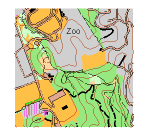
Purple lines – any unsubstantiated line which might be something useful like a road or track. It could have come from an aerial photo or some other map such as published street maps. Solid means the shape is probably right (visible from the sky, or baitline data from the regional council), dashed means shape could be approximate (lines from other maps). We hide these lines before production printing but they can help mappers. Old stuff which is no longer passable is not just deleted – it is turned into a dashed purple line “just in case”.
Red and Green lines – A thin red line with diagonal ticks is a fence off the topo (unreliable). Green lines are used for apparent edges of vegetation traced from aerial photos, solid if it seems to be clear like a plantation edge, dashed if indistinct. When you’re mapping, these hints can be useful.
Purple text – we write notes to ourselves on the map in purple, eg “subdivision Mar 06” to indicate that this bit of the map is dodgy and will need attention. Sometimes “res” or “sch” for parks, reserves and schools indicated on other maps. A lot of “?” if there is some doubt over something. Of course all these are hidden before production printing.
Purple bars across tracks – specific MTB obstacles which cause a dismount. Purple chevrons show a required biking direction. If you're a footie we'll try to remember to switch these off for you.
A bit of aerial photo – might be visible where the map hasn’t been “coloured in” yet.
Marking Up the Corrections
The most likely and most useful corrections are to the road/track network. Don’t try to duplicate the various dashes and line widths etc, just draw solid lines and put a code number beside them.
We classify the tracks for MTB riding. Turns out that this is fine for people on foot too, so the mapping can be used more widely.
Sealed roads: code 2W (or perhaps 4W) – stands for 2-way etc. Most of these are on the map already as the double black line with brown filling. Note 2012: One-lane sealed roads used to be a black line, we need to bring them into line with the specification, so mark these as 1W.
Gravel roads/wide tracks - at least one car width or two bikers could readily pass without blinking: code 1 (well maintained), 3 (some reduction in speed, approx 75-50% of top speed), 5 (you are picking your way round holes, rocks or obstacles, approx 50-25%), 7 (you can't ride or riding is as slow as walking your bike). The ones we have already are shown as thick black solid lines, long dashes, short dashes, and dots respectively.
Single-track - wide enough for one BIKER OR PERSON only: code 2 (sealed or well-maintained hard surface), 4 (some speed reduction 75-50%), 6 (picking your way 50-25%), 8 (can't ride). The ones we have already are shown as thin black solid lines, long dashes, short dashes, and dots. Just think “fast-medium-slow-push”, wide is the odd numbers, narrow is even.
Something for bikers only who are restricted to tracks - you spot a good route that doesn’t have a visible track, you can specify that it have a “green line”: code G1 (well maintained, which of course is a contradiction in terms), G3 (not maintained, some reduction in speed 75-50%), G5 (picking your way 50-25%), G7 (can't ride, this would presumably be only a short stretch.) Rogainers don’t worry about this.
Something for rogainers - possum trapping lines - ones that don't come up to the normal degree of obviousness for a track. Depending on the rogaine we might show them on the map or not. If you want to map them, mark them as "I" (with serifs so it doesn't look like a number). MTBOers don't worry about this.
If there’s a road/track on the map and it has to come off, put an “N” (for “no”) on the line. DO NOT use an “X” as that has another meaning. You don’t need to “N” the purple and green lines, we hide any not converted into tracks etc before production printing.
If there are other distinctive features you think should be on the map then sketch them. If there isn’t much room, do them on the back. If it’s a significant man-made object, use “X”. Trig beacons “T”. Pylons a plus with a blob in the middle. As above, for any to come off use an “N”.
Finally the point of all this – your event. Draw circles REALLY ACCURATELY and letter them. Why letters? You will fine-tune the scores until the last minute, and changing numbers is very error-prone - best turned into numbers at the very end. Do the circles on a separate copy unless the corrections are very few. Don’t forget a triangle for the start. A schedule of descriptions helps us get them accurate.
If there are heaps of corrections feed them to us progressively. Even if there are just a few corrections and the control circles it takes a while – we also have to cut out your bit of map from the larger file and give it a legend and title etc. Give us a week to fit in the cartography and order the copies and have a day to spare for possible cockups!
While there are other ways we suggest you let us order the printing - OHV has an account with a printer that we trust and a negotiated price. DON’T print from a scan.
Using your GPS
GPS's have become quite common, and can give us lines and positions, but not your judgements on track types etc. So the paper markup is still useful.
The GPS data is especially handy for new tracks and possible checkpoint locations. Send your data to us in GPX format. If you need to download via a website such as Garmin Connect, look for the "save as GPX" option. If you can store waypoints we suggest using numbers over 200, then they won't get confused with control codes.
Don't believe excessively in your GPS. In spite of it telling me its 3m on a good day, I reckon its about 10m with flights of fancy out to 50m. I can tell, because our mapping has many GPS tracks in it and in places it looks like a birds nest. Your checkpoints must be on features that can be found WITH THE MAP.
From 2017 we're encouraging planners to use Condes (software) to put your control positions on the map. This software can read the map file, let you position controls, but not change the map. We've got the makings of a Condes Guide here.